Want to grow your Instagram profile? Get more Instagram followers & likes!
Did you know that you can record a Reels video first but upload it later on? Instagram lets you to save these videos as drafts before publishing.
In this article you are going to learn how to save your Instagram Reels videos as drafts on Instagram.
Let’s get started!
How to save Reels videos as drafts on Instagram?
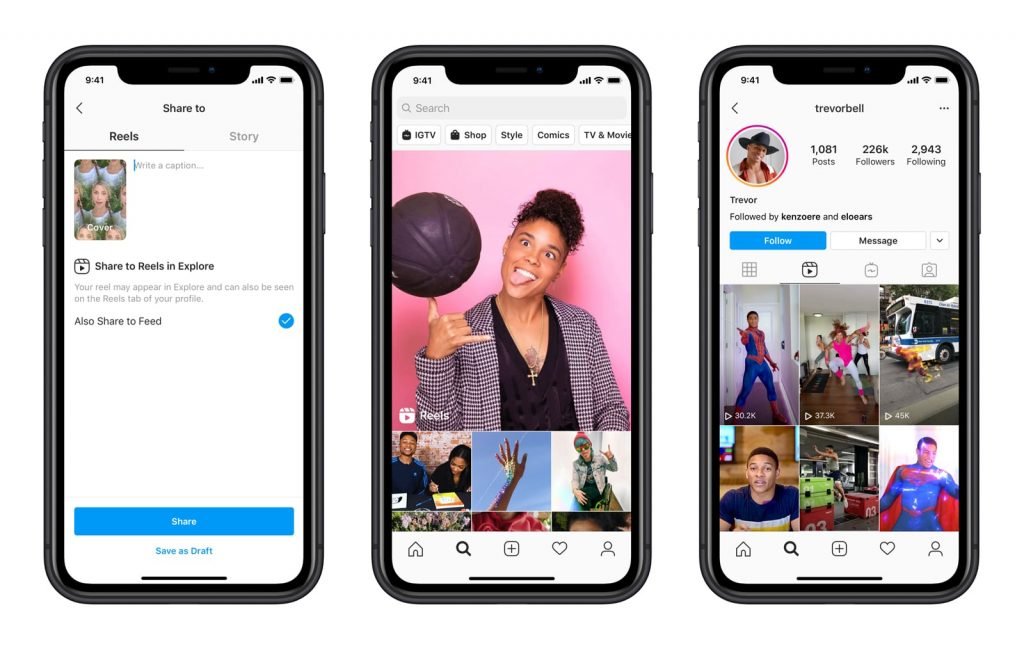
Just follow these steps and you will find out how you can save drafts of your Reels videos:
- Open up Instagram app on your mobile device and login to your profile if you haven’t already.
- Swipe right or click on Your Story at the top-left corner.
- When the camera window opens, find Reels option at the bottom and click on it.
- Now hit the button in order to start recording your Reels video or you can just upload the one you have recorded earlier from your phone’s memory.
- Now you can edit this video by inserting stickers or drawing something if you would like to.
- Proceed by tapping on the arrow icon.
- Don’t forget that you can change the cover image of your video and write a caption that describes this video.
- After that simply hit “Save as Draft” and this video will be saved for later.
That’s how you can save Reels videos as drafts!
Want to grow your Instagram profile? Get more Instagram followers & likes!
I hope this guide was helpful and you were able to save Reels videos as drafts on Instagram. Leave your comments down below if you have any more questions related to this topic.
