Want to grow your Instagram profile? Get more Instagram followers & likes!
Want to record Instagram Reels videos hands-free? You can easily do it with the timer and countdown feature.
In this article I am going to show you how to set a timer and countdown on Instagram Reels.
Let’s get started!
How to set a timer and countdown on Instagram Reels?
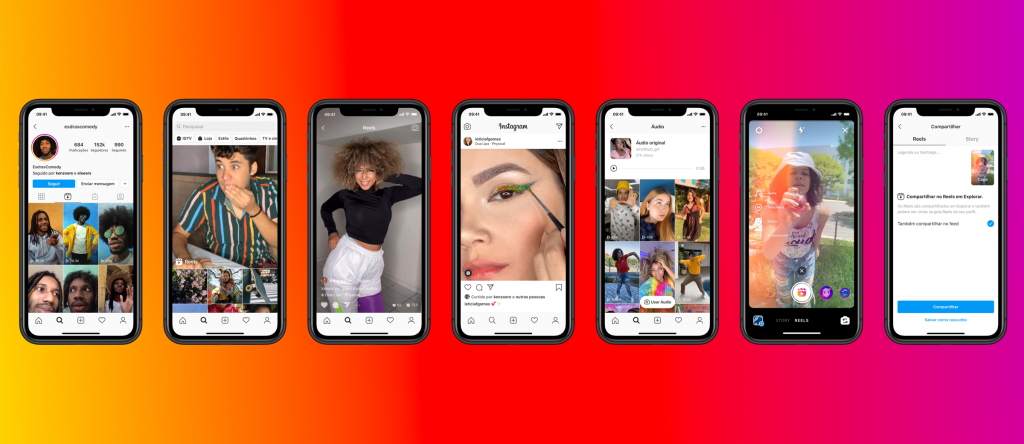
Simply follow these steps and you will find out how it’s done:
- Log in to your Instagram account and go to the home tab.
- Hit the plus icon at the top of the screen.
- Choose the Reel option on the bottom menu.
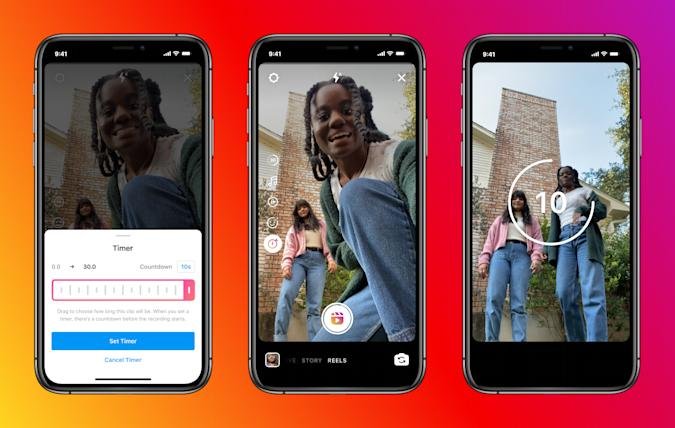
- As soon as the camera screen opens, find the Timer icon on the left-hand side of the screen and click on it.
- First of all, decide whether you want to use a 3-second or 10-second countdown before the recording.
- Secondly, select how long you want your clip to be by dragging the end of a timeline.
- After that press on the Set Timer button.
- When you are ready to record a video, simply hit the button and you will see a countdown, before the recording starts.
- Now you can use filters, add stickers, draw or write something on your video.
- Once your video is ready, click on the arrow button and share your video to Reels.
That’s it for this article!
Want to grow your Instagram profile? Get more Instagram followers & likes!
I hope this guide was helpful and you were able to set a timer and countdown on Instagram Reels.
