Want to grow your TikTok profile? Get more TikTok followers now!
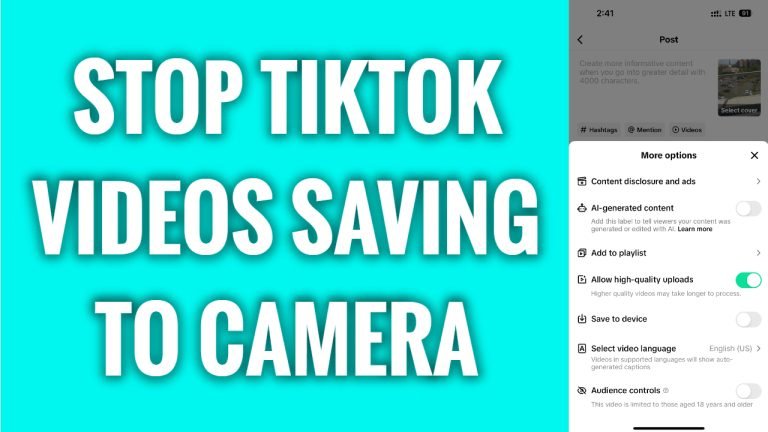
In this article I will show you how to stop TikTok videos saving to your Camera Roll.
Are your published TikTok videos being automatically saved to your phone’s gallery? Did you know that you can easily stop them from saving to your camera roll.
Just follow these steps:
- Open TikTok app and login to your TikTok profile.
- Tap on the “Plus” icon at the bottom.
- Record a new video or upload it from your camera roll.
- Tap on “Next”.
- Now in this window select “More options”.
- Scroll down and switch the toggle off next to “Save to device”.
That’s how it’s done! From now on your published videos will not be saved to your phone’s gallery.
I hope this guide was helpful and you were able to stop TikTok videos saving to your Camera Roll.
Want to grow your TikTok profile? Get more TikTok followers now!
